- Businesses pay for saved time and fewer mistakes, not for tools. Sell the result.
- You can start with free or low-cost no-code tools and one repeating problem.
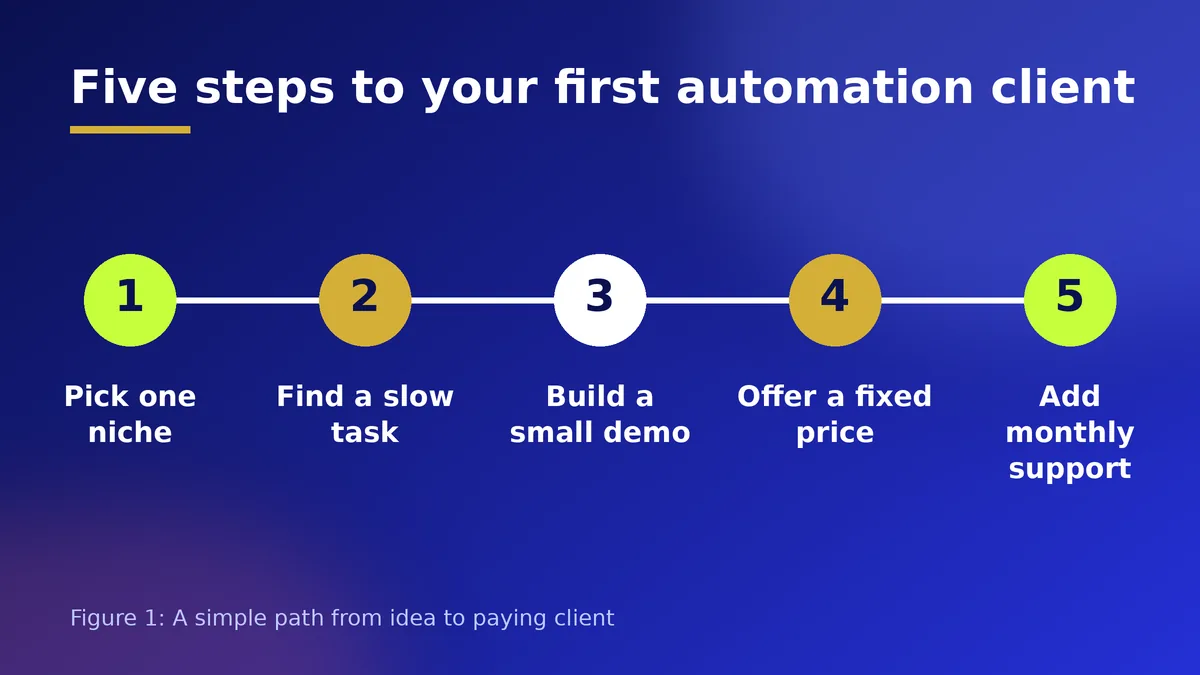
- Start with one niche, build a small proof project, then offer a fixed-price setup plus a monthly support plan.
The Short Answer
Many small businesses lose hours every week to jobs a computer could do: copying orders into a sheet, sending the same reminder, sorting enquiries, writing the same reply again and again. Automation is the skill of connecting the tools a business already uses so that these jobs happen on their own. Add AI to read, sort or draft text, and you can remove even more manual work.
This is one of the clearest examples of a skill that is under-explained but well paid, because the client does not need to understand how it works. They only need to see that a problem disappeared. It is not a get-rich-quick plan, and results depend on your effort, your niche and your ability to deliver, but the demand is real and the barrier to starting is low.
What You Actually Sell
You are not selling software. You are selling hours saved, faster replies and fewer mistakes. A clinic that sends appointment reminders automatically misses fewer bookings. A shop that logs every order into one sheet knows what to restock. A consultant whose enquiry form creates a task and sends a polite reply wins more clients because nobody waits.
Good first automations are small and measurable:
- New form or website enquiry goes into a sheet and sends an instant thank-you message
- Paid order triggers an invoice or receipt and adds the buyer to a customer list
- Booking confirmation, reminder the day before, and a thank-you message afterwards
- Incoming emails are sorted by topic and a draft reply is prepared for a human to approve
- Weekly summary of sales or enquiries sent to the owner by email
The Tools to Learn First
You do not need to code to begin. Visual workflow tools such as Make, Zapier and n8n let you connect apps by choosing a trigger and an action. Learn two of them properly rather than five badly. Pair them with a spreadsheet or a simple database tool such as Airtable or Google Sheets, and an AI model for writing, summarising and sorting text.
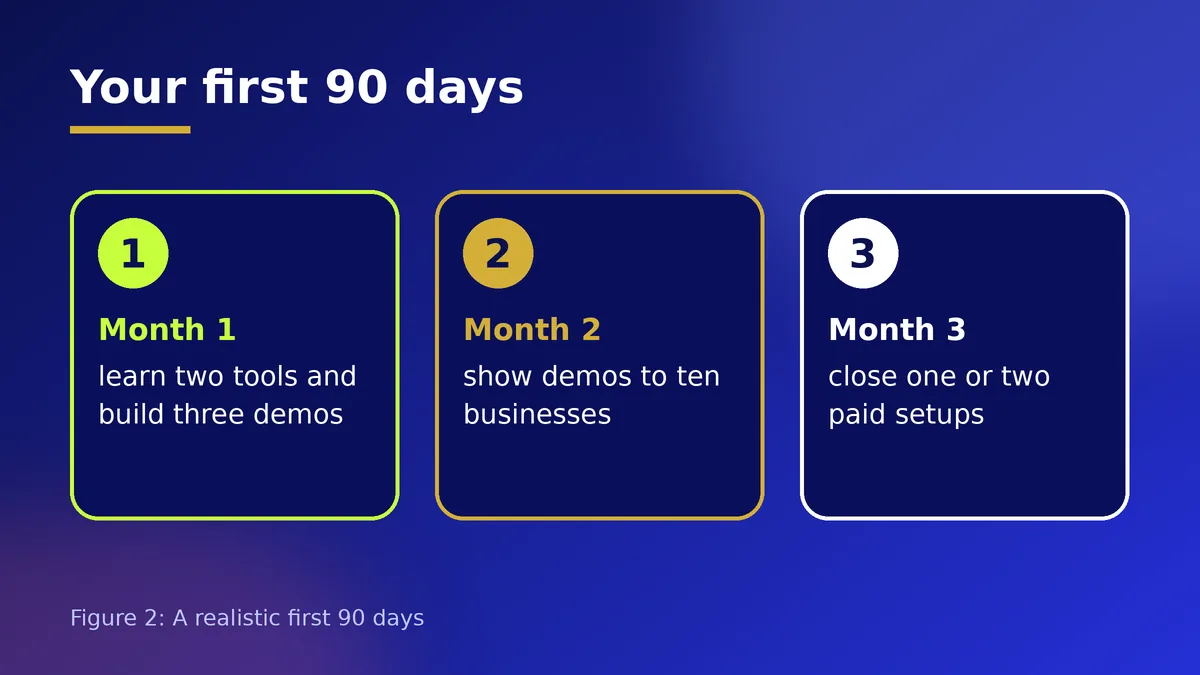
Spend your first two weeks building real workflows for yourself: automate your own invoicing, your own lead tracking or your own content calendar. Each one becomes a demo you can show and a story you can tell.
How to Find Your First Clients
Pick one kind of business you understand, such as dental clinics, event planners, estate agents, schools, restaurants or online shops. A narrow focus makes your message sharper: "I help estate agents reply to every enquiry within one minute" is far stronger than "I do AI automation".
Then make a short demo video of a working automation, with a simple before and after. Send it to ten businesses you can reach through WhatsApp, Instagram or LinkedIn. Offer to automate one small thing for a fair price or at a reduced rate in exchange for a testimonial. Referrals from your first happy client will often bring the second.
How to Price Your Work
Charge for the value of the problem, not for the hours you spent learning. A common structure is a one-time setup fee for building the system and a smaller monthly fee for monitoring, fixes and small changes. Write down what is included and what is not, so a small request does not become unlimited free work.
If you are unsure what to charge, ask what the task costs the client today in staff time or lost sales, and price a fraction of that saving. Always agree the price and scope in writing before you start, and ask for a deposit.
Mistakes That Cost Beginners Clients
Do not automate a messy process. Fix the process first, then automate it. Do not store passwords or customer data carelessly, and always ask permission before connecting a client's accounts. Do not promise that AI will never make mistakes: keep a human check wherever a wrong message could upset a customer or cost money.
Finally, document what you build. A short guide and a recorded walkthrough make you look professional and make your monthly support plan easy to sell.
Action Checklist
- Choose one niche and one repeating problem
- Learn two workflow tools and build three demos
- Record a one-minute before and after video
- Message ten businesses with your demo
- Agree scope, price and deposit in writing
- Document every automation you build
Frequently Asked Questions
Do I need to know how to code?
No. Visual tools such as Make, Zapier and n8n let you connect apps without writing code. Basic spreadsheet skills and clear thinking matter more at the start. Coding helps later for harder jobs.
How long before I can get a paying client?
It depends on your effort and niche. Many people can build a working demo within a few weeks, but finding and closing the first client usually takes longer. Keep showing demos and asking for referrals.
Is it safe to connect a client's accounts?
Only with written permission, using accounts the client controls and the smallest access needed. Never ask for passwords by chat, and tell the client exactly which tools and data your automations will touch.